Understanding PDF Encryption and Password Protection
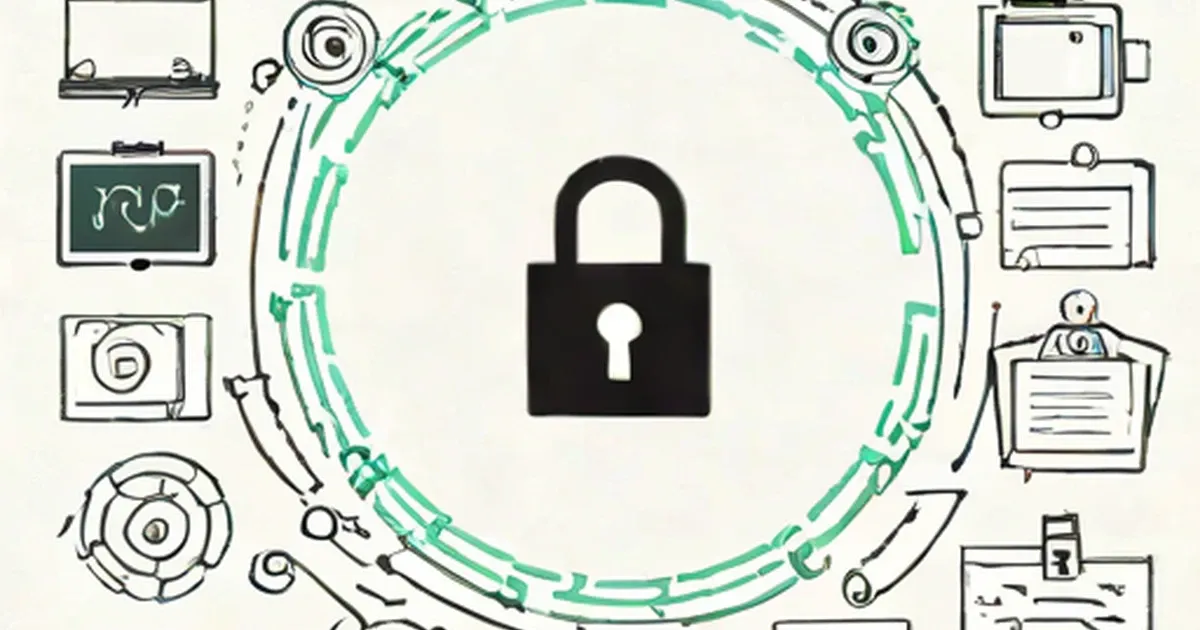
How does PDF encryption work? Confused about PDF owner and user passwords? Want to know how to control what a user can and can’t do with your PDF? No problem - here is an easy to understand explanation to help you.
First of all if you don't use a password on a PDF document then it is NOT encrypted. This means that the entire content of the PDF can be accessed by anyone for any purpose which may be just what you want to allow.
If an unencrypted PDF is placed on a web site then search engines can index the content which is great for driving people to your web site and your information.
On the other hand you might want a little more control over your document and the information it contains and only allow people (or computers for that matter) to read it without being able to make changes and maybe event prevent it from being copied or printed.
You may also only want to allow certain people to be able to read your information, especially if it contains confidential or financial information that is not for public dissemination.
To control and protect your PDF documents requires the use of a password which is used to form the encryption key that is used to encrypt your PDF. This prevent people without the password from being able to read the PDF or even to look at the PDF contents at the file level – all they would see if they tried is gobbledygook.
This is because encryption scrambles the data using a complicated mathematical algorithm but it does so in such a way that it can be unscrambled again. This scrambling is controlled by the encryption key and no two encryption keys will scramble the data in exactly the same way.
The next section goes into more detail about encryption which you don't strictly need to understand if all you want to do is to know how to use a password to control access to your PDF. So please feel free to over the encryption section and go direct to the password section.
Encryption
There are currently two levels of PDF encryption in common use: 40 bits (low security) and 128 bits (high security).
40 bit encryption is not considered very safe these days as computers have got fast enough to use brute force methods of cracking the encryption keys (by trying every possible combination) within hours or days.
128 bit encryption is much more secure and employing the same brute force methods could easily take thousands of years. In case you are wondering how the extra 88 bits of encryption help when being increased from 40 to 128 bits it multiplies the number of possible combinations for the encryption key by a factor of 2 raised to the power 88.
Now that doesn't sound like very much but it is – to put it another way it increases the number of possible encryption keys by 309,485,009,821,345,068,724,781,056 times. So if a 40 bit encrypted PDF took 1 day to crack by brute force it could take 309,485,009,821,345,068,724,781,056 days which is about 8,473,237,777,449,556,980,829 centuries.
However, this is the maximum possible time it would take by assuming that the actual encryption key used would be the last possible combination tested. In reality it would on average be half of this, and if you were very unlucky the first encryption key tested in a brute force attack might be the actual encryption key – this would be very unlikely but it is a possibility.
Anyway, don't lose any sleep over this and using 128 bit encryption is safe for the immediate future, that is until machines get a lot faster or someone can come up with a better algorithm that can short cut a brute force attack on an encryption key.
Passwords
There are actually two passwords that can be applied to a PDF: an "owner" password and a "user" password. Either of these passwords on their own allow the PDF to be decrypted. In order to securely encrypt the PDF you need to specify both of these passwords, if you only specify the owner password then the PDF can be easily decrypted and read as a default user password is always used.
As just mentioned either of the two passwords can be used to decrypt a PDF document so a brute force attack on finding a password that would allow decryption would always start by trying with the default user password.
So what do these two passwords actually do besides encrypting the PDF document? Well in a PDF viewing application (such as Adobe Reader) if the owner password is used then the document can be read, portions can be selected, copied and pasted into other applications and it can be printed out.
But if the user password is used then the author of the PDF document can apply restrictions that the viewing application enforces. At this point it is worth noting that user restrictions are implemented by the application (whether it is a simple viewing application or an application that allows PDF documents to be edited) after the PDF document has been decrypted and displayed and that any such application can ignore these requested restrictions to allow a user to do whatever they want.
User restrictions, which are also known as access privileges, can prohibit the user from doing anything but reading the document. Additionally the PDF author may allow a user to print the document, allow the document to be edited (if the PDF has been opened by an application that allows editing), to select content, copy and paste it into other applications.
Please note that a user password cannot be set without an owner password and that the two passwords must be different. A password can also be up to 32 characters long and longer passwords take more time to crack than shorter ones.
It is also wise to take the usual precautions when choosing passwords – don't use single words (in fact try not to use real words at all as the first thing that would be tried when cracking a password is to use a dictionary to try all possible words). Also try to use a mixture of capital and lower case letters, sprinkle in a selection of numbers, punctuation and symbols.
Hopefully this brief article will have given you a basic grounding to more fully understand how to use owner and user passwords and their role in the encryption of a PDF document.
Adrian Nelson is the lead software developer behind the range of easy to use PDF utilities

If an unencrypted PDF is placed on a web site then search engines can index the content which is great for driving people to your web site and your information.
On the other hand you might want a little more control over your document and the information it contains and only allow people (or computers for that matter) to read it without being able to make changes and maybe event prevent it from being copied or printed.
You may also only want to allow certain people to be able to read your information, especially if it contains confidential or financial information that is not for public dissemination.
To control and protect your PDF documents requires the use of a password which is used to form the encryption key that is used to encrypt your PDF. This prevent people without the password from being able to read the PDF or even to look at the PDF contents at the file level – all they would see if they tried is gobbledygook.
This is because encryption scrambles the data using a complicated mathematical algorithm but it does so in such a way that it can be unscrambled again. This scrambling is controlled by the encryption key and no two encryption keys will scramble the data in exactly the same way.
The next section goes into more detail about encryption which you don't strictly need to understand if all you want to do is to know how to use a password to control access to your PDF. So please feel free to over the encryption section and go direct to the password section.
Encryption
There are currently two levels of PDF encryption in common use: 40 bits (low security) and 128 bits (high security).
40 bit encryption is not considered very safe these days as computers have got fast enough to use brute force methods of cracking the encryption keys (by trying every possible combination) within hours or days.
128 bit encryption is much more secure and employing the same brute force methods could easily take thousands of years. In case you are wondering how the extra 88 bits of encryption help when being increased from 40 to 128 bits it multiplies the number of possible combinations for the encryption key by a factor of 2 raised to the power 88.
Now that doesn't sound like very much but it is – to put it another way it increases the number of possible encryption keys by 309,485,009,821,345,068,724,781,056 times. So if a 40 bit encrypted PDF took 1 day to crack by brute force it could take 309,485,009,821,345,068,724,781,056 days which is about 8,473,237,777,449,556,980,829 centuries.
However, this is the maximum possible time it would take by assuming that the actual encryption key used would be the last possible combination tested. In reality it would on average be half of this, and if you were very unlucky the first encryption key tested in a brute force attack might be the actual encryption key – this would be very unlikely but it is a possibility.
Anyway, don't lose any sleep over this and using 128 bit encryption is safe for the immediate future, that is until machines get a lot faster or someone can come up with a better algorithm that can short cut a brute force attack on an encryption key.
Passwords
There are actually two passwords that can be applied to a PDF: an "owner" password and a "user" password. Either of these passwords on their own allow the PDF to be decrypted. In order to securely encrypt the PDF you need to specify both of these passwords, if you only specify the owner password then the PDF can be easily decrypted and read as a default user password is always used.
As just mentioned either of the two passwords can be used to decrypt a PDF document so a brute force attack on finding a password that would allow decryption would always start by trying with the default user password.
So what do these two passwords actually do besides encrypting the PDF document? Well in a PDF viewing application (such as Adobe Reader) if the owner password is used then the document can be read, portions can be selected, copied and pasted into other applications and it can be printed out.
But if the user password is used then the author of the PDF document can apply restrictions that the viewing application enforces. At this point it is worth noting that user restrictions are implemented by the application (whether it is a simple viewing application or an application that allows PDF documents to be edited) after the PDF document has been decrypted and displayed and that any such application can ignore these requested restrictions to allow a user to do whatever they want.
User restrictions, which are also known as access privileges, can prohibit the user from doing anything but reading the document. Additionally the PDF author may allow a user to print the document, allow the document to be edited (if the PDF has been opened by an application that allows editing), to select content, copy and paste it into other applications.
Please note that a user password cannot be set without an owner password and that the two passwords must be different. A password can also be up to 32 characters long and longer passwords take more time to crack than shorter ones.
It is also wise to take the usual precautions when choosing passwords – don't use single words (in fact try not to use real words at all as the first thing that would be tried when cracking a password is to use a dictionary to try all possible words). Also try to use a mixture of capital and lower case letters, sprinkle in a selection of numbers, punctuation and symbols.
Hopefully this brief article will have given you a basic grounding to more fully understand how to use owner and user passwords and their role in the encryption of a PDF document.
Adrian Nelson is the lead software developer behind the range of easy to use PDF utilities
Use the feedback form below to submit your comments.

Use the form below to email this article to your friends.

- PDF Newsletter Producing Software - Best Tools to Publish Your PDF Newsletter
- PDF, faster delivery, lowered costs
- Download Free PDF ebook
- Understanding PDF Files
- PDF And The Other Member of the Office Suite, Excel
- PDF Scraping: Making Modern File Formats More Accessible
- Protecting your Website's Content: Just don't bother
- PDF to Word Conversion: One Solution for A Number of Hassles
- Convert JPEG Photographs to into PDF Documents
- PDF to HTML Conversion: Re-purposing the PDF
- Respect your thoughts with a PDF converter tool
- Archive PDF the Easy Way with PDF Converter
- How to Convert Your PDFs into MS PowerPoint
- Business Conversion Tools: XML PDF